
THE PLAYER'S GUIDE
About Castlevania
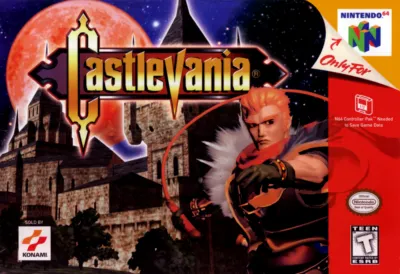
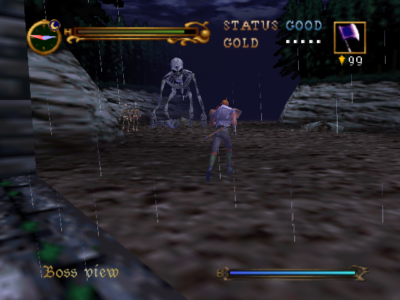
A forest road leads toward Dracula’s castle, but getting there takes more than a steady attack. This single-player Nintendo 64 adventure puts combat, dangerous footing, and watchful exploration together in three dimensions. Choose a vampire hunter, learn how to preserve your resources, and approach each unfamiliar stretch with an eye for traps.
The game
Two ways into the adventure
Your ultimate objective is to defeat the resurrected Count Dracula. Reinhardt Schneider carries a whip, while Carrie Fernandez uses magical powers. The character choice also changes the story, giving the selection more weight than a different weapon alone. Pick the fighting style that interests you for your first journey.
Health, hazards, and supplies
Enemy attacks, traps, and some falls reduce your hit points; reaching zero ends the game. Other falls and dangerous watercourses can end a run outright. Defeated enemies may leave gold or red jewels, so progress involves both surviving the route and gathering what combat leaves behind. The manual specifically encourages reading your surroundings for clues to safe passage.
This edition
Nintendo 64 edition
This is the Nintendo 64 adventure. Options offers A-type, B-type and C-type controller setups; the movement and camera commands below use A-type. Confirm that setup before learning the controls.
Start here
- Start your file
Choose Game Start from the title screen, select a new-game entry, and proceed to Player Select. Confirm your hunter to begin.
- Learn the status screen
Once play begins, open the sub-screen and locate your ability and status information. This is also where you use items, making it a useful screen to understand before trouble arrives.
- Establish a save point
Look for White Jewels as you advance; these are the designated places to save progress. The original setup instructions call for a Controller Pak attached to the controller for saved data.
Original controls
These are the original game's controls. For keyboard, controller and touch settings in this player, see Controls & help.
- Control Stick
- Walk or run according to how far you tilt the stick.
- A button
- Jump. Hold A while grabbing a ledge to hang; use the stick to move along it or climb where there is room.
- B / C Left
- B uses Reinhardt’s whip or Carrie’s energy attack. C Left uses the close-range dagger or ring.
- C Down / C Right
- C Down uses your attack item and spends Jewel Points. C Right opens doors, examines objects, talks and picks up items.
- Z button: A-type setup
- Crouch; combine it with the stick to move while crouching. Press while dashing to slide.
- C Up / R
- In A-type, C Up changes camera perspective. R locks onto a nearby enemy; the red mark indicates your current target.
- START
- Open the sub-screen to inspect status and use an item; press again to return to play.
Playing tips
- Budget your item attacks
Item attacks spend Jewel Points, with the cost depending on the attack item. Small red jewels restore five points and large ones ten. Keep a reserve instead of assuming every encounter will immediately replace what you spend.
- Treat a restart as a choice
After a game over, compare returning to your last save with restarting the last stage. The latter removes the items you have collected, so consider what you would give up before confirming.
- Answer poison promptly
A Poison Cure Ampoule removes poison status. If you have one available, use it before pressing farther into danger so the condition does not complicate the next encounter.

 Your next world.
Player memories
Remember Castlevania? Share a memory or a tip for other players.
The next memory could be yours.
Sign in to leave a memoryLoading the memory card…