THE PLAYER'S GUIDE
About Super Mario World
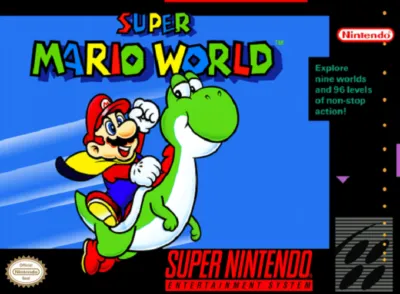
Super Mario World is a 1991 Super Nintendo platformer developed by Nintendo. It plays right here in your browser.
Super Mario World makes a journey through dinosaur country feel like an invitation to experiment. A seemingly straightforward run toward the next goal can become a search for another way through. Choose it if you enjoy platforming that rewards both a clean landing and the curiosity to revisit familiar ground.
The game
A rescue with room to wander
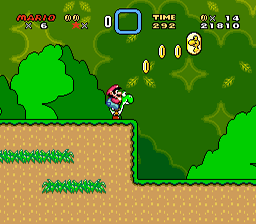
Mario's mission is to rescue Princess Peach from Bowser, with the rideable dinosaur Yoshi joining the adventure. Play moves between an interconnected world map and individual action courses. Reaching a course's goal opens the way onward, turning each successful crossing into another piece of a larger journey.
More than one way out
Red course markers signal two exits: a normal goal and a special goal or secret keyhole. Finding the alternative reveals another route, sometimes a shortcut. The Cape Feather adds aerial exploration, while Yoshi's shell abilities change with shell color: red produces fireballs, yellow creates an enemy-defeating dust cloud on landing, and blue enables flight.
Small rewards along the route
Collecting 100 regular coins or five Dragon Coins within one course earns an extra life. At the finish, the moving goal tape awards more Gold Stars when broken higher up. Accumulating 100 stars opens a bonus game built around matching pictures in rows, with additional lives as the reward.
This edition
The US Super Nintendo edition
This edition offers three original save slots and a two-player mode in which Mario and Luigi take turns through courses. Saving becomes available after clearing locations such as castles, fortresses, and haunted houses. The cartridge records route progress when you choose Continue and Save; extra lives are not retained.
Start here
- Set up your adventure
At the title screen, press START, choose a save slot and player count with the Control Pad or SELECT, then confirm with START.
- Pick an opening course
From Yoshi's House, move left or right along the available map paths. Stop on a course point and press B or Y to enter.
- Reach the midway tape
Make the Midway Gate your first practical target. Breaking its tape provides a restart point if you lose a life before finishing, and it also turns Small Mario into Super Mario.
Original controls
These are the original game's controls. For keyboard, controller and touch settings in this player, see Controls & help.
- Control Pad
- Move Mario. Press Down on a slope to slide; press Up while jumping toward a rope or fence to grab it.
- B Button
- Jump or swim. Hold for a higher jump or to slow Caped Mario's descent.
- A Button
- Spin jump, or dismount when riding Yoshi.
- X or Y Button
- Accelerate and hold objects. Depending on your current ability, throw fireballs or use Yoshi's tongue.
- L and R Buttons
- Shift the view slightly to inspect the area ahead or behind where the course permits it.
- SELECT and START
- SELECT releases the reserve item. START pauses; in an already cleared course, START followed by SELECT returns you to the map.
Playing tips
- Match the jump to the obstacle
Use an ordinary jump when height matters. The spin jump sacrifices height but can defeat some tougher enemies, so it is a situational tool rather than an automatic upgrade.
- Practice cape steering with space
Choose an open stretch for your first sustained flight. With the cape open, pressing toward your travel direction lowers Mario; pressing against it raises him. Gentle timing practice makes those opposite effects easier to learn.
- Bring your companion through
When you have Yoshi near a course's end, favor a safe finish over an optional detour. Completing the course on his back lets you begin the next course together.
- Keep exploration within the clock
Look for side routes while you have time to spare. The timer reaching zero costs a life, so postpone a difficult search when the remaining time makes a safe finish doubtful.

 Your next world.
Player memories
Remember Super Mario World? Share a memory or a tip for other players.
The next memory could be yours.
Sign in to leave a memoryLoading the memory card…