THE PLAYER'S GUIDE
About Super Mario Bros. 3
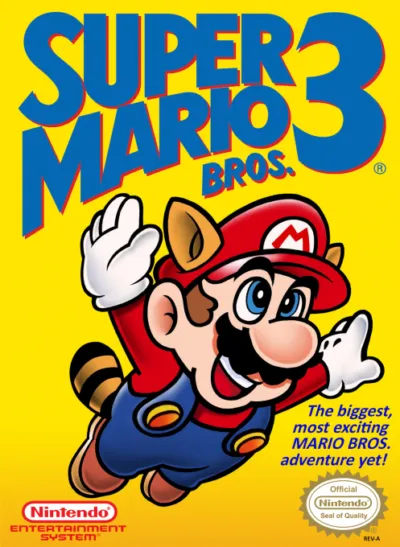
Super Mario Bros. 3 is a 1990 Nintendo Entertainment System platformer developed by Nintendo. It plays right here in your browser.
Super Mario Bros. 3 turns a platform adventure into a journey you can chart, one map square at a time. Its appeal is the changing feel of Mario himself: a new suit can reshape how you approach the next obstacle. Choose it for short action stages connected by a larger sense of discovery.
The game
A road through eight kingdoms
Mario’s adventure spans eight kingdoms, each with its own map. Your mission is to recover the royal magic wands from Bowser’s seven children. Roads offer choices, but uncleared action stages block progress at many points. Finish a stage and its square becomes a passage you can cross freely; lose a life inside one and you return to the map.
Small rewards, changing terrain
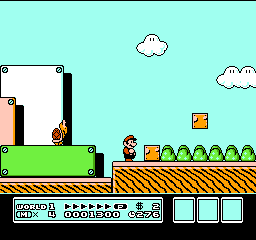
Blocks invite investigation: some contain items, while bricks can be broken by Super Mario. The footing also changes, from platforms traveling on rails to Donut Lifts that shake and fall beneath you. At a stage’s goal, collect a flashing card. Three cards award extra lives, with larger rewards for matching sets: two lives for Mushrooms, three for Flowers, or five for Stars.
This edition
The NES edition
This guide covers the US Nintendo Entertainment System version. Its original setup uses controller 1 for a solo game and controllers 1 and 2 for a two-player game. The button names below refer to the NES controllers.
Start here
- Begin in World 1
At the title screen, use SELECT to choose one or two players, then press START. On the World 1 map, move Mario onto the square marked 1 and press A to enter the opening stage.
- Practice jump height
On safe ground, compare a quick tap of A with a longer press. Holding the button produces a higher jump. Get comfortable with that difference before adding running speed.
- Learn the status display
Check your remaining lives, coins, and time as you advance. You begin with five lives, though the initial display shows four remaining Marios. Collecting 100 coins earns another life; letting the timer reach zero costs one.
Original controls
These are the original game's controls. For keyboard, controller and touch settings in this player, see Controls & help.
- Control Pad
- Left and Right move Mario. Up enters doors; Down crouches, enters suitable pipes, or starts a slide on slopes. Frog Mario cannot crouch or slide.
- A Button: jumping and swimming
- Press A to jump; hold it for more height. Press repeatedly to swim. Frog Mario swims with the Control Pad and gains speed with A. Raccoon and Tanooki Mario use repeated A presses to float or sustain flight for a limited time.
- B Button: speed and shells
- Hold while moving to accelerate. After stomping a Koopa, approach its shell from the side while holding B to carry it; release B to kick it.
- B Button: suit abilities
- Fire Mario throws fireballs with B. Raccoon and Tanooki Mario swing their tails with B. Tanooki Mario can briefly become an invulnerable statue with Down and B together.
- START Button
- During play, press START to pause and press it again to resume.
Playing tips
- Give takeoff room
With a tail suit, look for a clear runway before attempting flight. Watch for the full Power Meter, flashing P, and whistle before taking off; a cramped approach leaves less room to build the required speed.
- Use a hit to regain your footing
After taking damage, Mario flashes and briefly becomes invincible. Use that window to move clear of the enemy and reach stable ground. Holes and fire still deserve your attention.
- Take the optional bonus stop
When lives are running low, try a Spade Panel along your route. Its picture-matching game can award extra lives, and each A press stops another line. You can also pass it by when you want to keep moving.

 Your next world.
Player memories
Remember Super Mario Bros. 3? Share a memory or a tip for other players.
The next memory could be yours.
Sign in to leave a memoryLoading the memory card…