Atari 26001982Plays in your browser
Eli's Ladder
Free to play. No install, no account.
Play now edition USA
Game dossier
- System
- Atari 2600
- Year
- 1982
- Genre
- Quiz & learning
- Players
- 2
- Developer
- Simage
- Publisher
- Simage

Android app Beta 7
Your next level.
Retro Passport + XP · Time Warp · Lucky spin
Free forever. No ads†.
Passport is optional; account required. Guests can preview.
Inside the game
Download
About Eli's Ladder
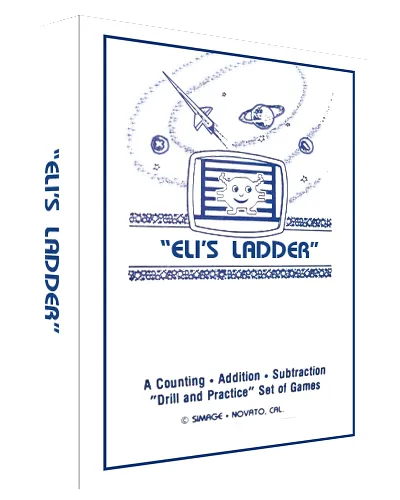
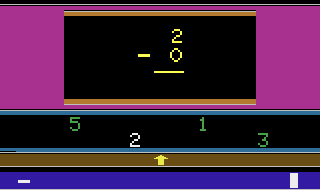
This game was designed to help teach children addition, subtraction and counting. Eli needs to return to his spaceship. You move him up the ladder by solving addition or subtraction problems. A problem appears with four answer choices below. Move the joystick left or right to select your answer then press the button. After 20 questions, Eli reaches his ship. If you got 18 or more answers correct, Eli will jump for joy and there will be a flashing word WOW. The child always uses the right joystick. In two player settings, the left joystick is used by the parent to advance to the next problem, start the game and count apples. In one player, you advance automatically. The left difficulty switch is used to select one or two player. The right difficulty switch is used to select addition or subtraction. These must be selected at the main menu before you begin your game. The game select switch returns you to the main menu if you are in a game or changes the game number on the main menu. The TV Type switch switches in and out of the counting screen in a game or set the speed of the pacer (timer) on the main menu. There are three types of games, each with up to ten difficulty levels. In game type one, called Practice, there is no time limit. The child can take as long as needed to answer the problem. In game type two, called Pacer, there will be a plus or minus sign at the bottom that moves from left to right. If it reaches the right side barrier, the problem is marked as wrong then it is on to the next problem. You can set the pacer speed from the main menu with the TY Type switch. If your difficulty level allows for counting, when you switch to the counting apples screen, the timer stops and when you return, it resets. In game type three, called Phantom, in addition to having a time limit, the only answer selection that shows is the one that the arrow is under.

 Your next world.
Starts here. Web hosting, VPS & dedicated servers. Make room for what comes next. Explore hosting
Player memories
Remember Eli's Ladder? Share a memory or a tip for other players.
The next memory could be yours.
Sign in to leave a memoryLoading the memory card…