
THE PLAYER'S GUIDE
About Agony
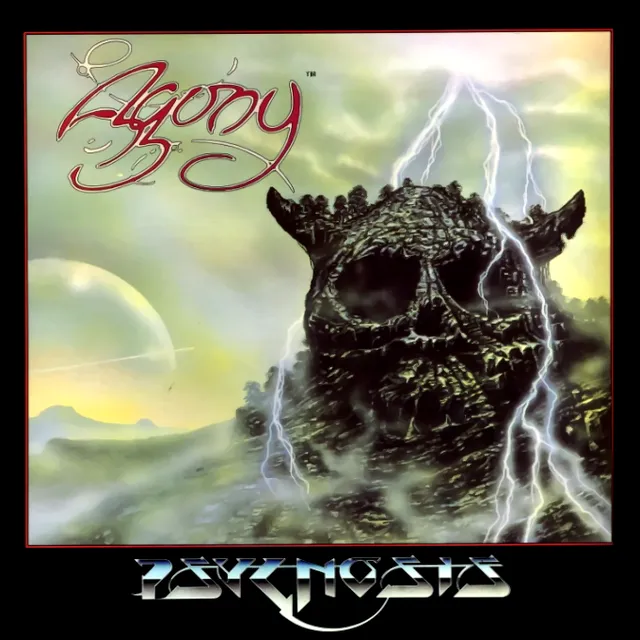
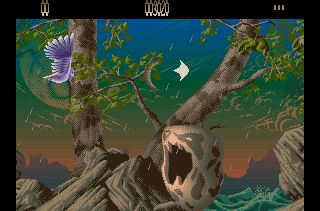
An owl beats its wings through a fantasy landscape, carrying a shooter’s arsenal into a world of sea spray, swamps, and fire. Agony pairs richly layered Amiga scenery with combat that asks you to steer carefully and choose your magic. Come for the unusual hero; stay for the decisions behind each spell.
The game
An apprentice’s journey
You play Alestes, a wizard’s apprentice traveling in owl form toward the secret of Cosmic Power. Across six horizontally scrolling stages, hostile creatures sent by his rival Mentor stand between him and his destination. Your immediate task is practical: navigate the approaching threats, destroy or evade enemies, and gather the magical supplies that help you continue.
Magic with a purpose
Potions and scrolls supply spells with different jobs, giving the pickups more meaning than a simple increase in firepower. Some answer attacks from a particular direction; others provide protection or affect enemies across the screen. The presentation has its own deliberate character: animated natural environments and three overlapping scrolling planes give the flight depth, replacing the usual spacecraft setting with a moving fantasy painting.
This edition
The Amiga edition
Developed by Art & Magic and published by Psygnosis in 1992, this is the Amiga adventure. Its joystick-led flight and spell selection are separate tasks: learn to move the owl comfortably before choosing magic under pressure.
Start here
- Establish room to maneuver
Begin with small movements and leave space around the owl. Practice changing height and moving diagonally before attempting tight passages between creatures. Your first goal is to become comfortable placing the owl precisely while the stage keeps advancing.
- Read your first collection
After collecting a magical item, inspect the spell menu. Crossed-out icons mark spells you do not yet possess, so use the available choices to learn what that pickup added before planning around it.
- Make one deliberate spell choice
Try matching your first spell to a visible problem instead of activating it simply because it is available. This gives you a useful first-session goal: learn what one effect does and when it helps.
Original controls
These are the original game's controls. For keyboard, controller and touch settings in this player, see Controls & help.
- Joystick directions
- Move up, down, forward, or backward; diagonal directions combine vertical and horizontal movement.
- Joystick fire button
- Fire your weapon.
- Amiga Space / second joystick button
- Open the spell selection menu in this edition.
- Spell-menu selection
- Move the menu arrow beside the desired spell, then press fire to activate it.
Playing tips
- Cover the threatened side
Use Reverse Energy when enemies threaten from behind and Forward Power when pressure comes from ahead. Check the direction of danger before committing either effect.
- Turn a freeze into breathing room
Time Freeze stops the enemies currently on screen. Use that opening to move toward a clearer position instead of remaining in a crowded lane.
- Expect protection to expire
Every spell has a time limit, including Invulnerability. Keep an escape route available while protected so the effect does not end with the owl surrounded.
- Do not trust a bomb to finish everything
Smart Bomb destroys most on-screen enemies. Continue watching the playfield after using it and steer around anything that survives.
Behind the game
Wings built frame by frame
Franck Sauer studied footage of flying owls, then used simple animated planes in Sculpt4D to work out the wing motion. He brought those frames into Deluxe Paint III and drew the bird’s body and feathers by hand.

 Your next world.
Player memories
Remember Agony? Share a memory or a tip for other players.
The next memory could be yours.
Sign in to leave a memoryLoading the memory card…